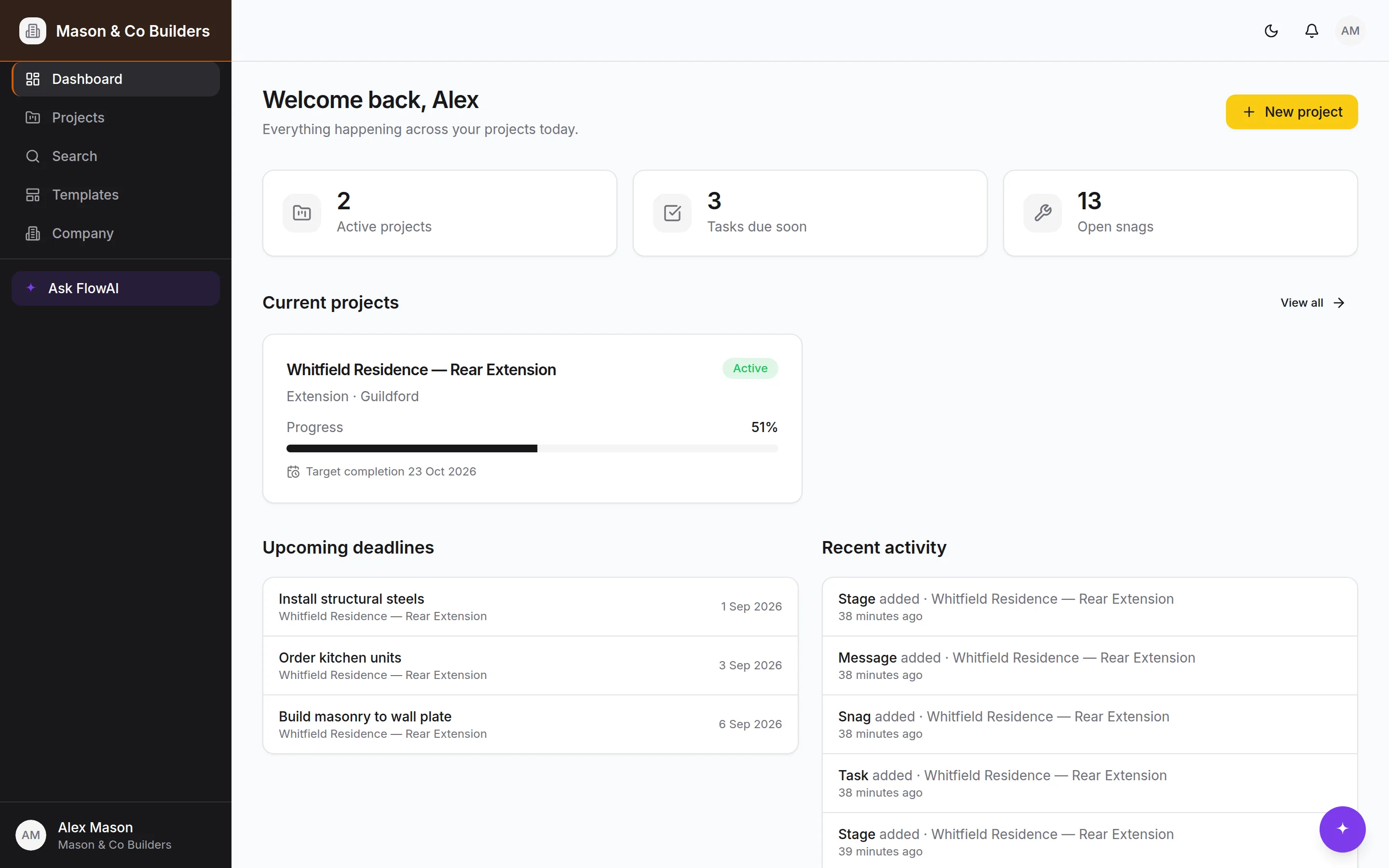
The whole job.
One set of figures.
From the first phone call to the last invoice. Price a job from what it costs you, and when they say yes the quote becomes the contract, the scope of works and everything you invoice against. Nothing gets retyped.
One project free, forever. No card needed.
Most tools hold one piece of the job
A quoting app, a spreadsheet and an accounts package each keep their own copy of the numbers, and keeping the three agreed is a job in itself. BuildFlow keeps one.
- 1
Enquiry
Somebody rings. Name, what they want, where they heard about you — thirty seconds.
- 2
Quote
Priced up from what the work costs you, with the margin visible as you type.
- 3
Contract
Accepted. The contract sum, the VAT rate and the scope of works write themselves.
- 4
Variations
Every change priced and agreed against that sum, so the total is never in doubt.
- 5
Invoices
Raised from the stages and changes already owed. Nothing typed twice.
- 6
What it made
Real costs against the quote's build-up. The number nobody usually has.
Change the price of one thing and it is right everywhere, because there is only one place it lives.
Built for how a job actually runs
Not a generic project tool with construction words pasted over it. The stages, the inspections, the CIS return and the defects period are the real ones.
Win the work
Every enquiry logged in thirty seconds while they're still on the phone, the site visit booked, and a report at the end of the year telling you which sources actually pay and why you lost the rest.
Price it from your costs
Build the price up from labour, materials, subbies and plant. BuildFlow works out the charge — and shows you that 20% margin means adding 25%, not 20%.
The quote becomes the contract
They say yes and the job starts itself: contract sum, VAT rate and the full scope of works — including what's excluded — written from the quote you already sent.
Run it from site
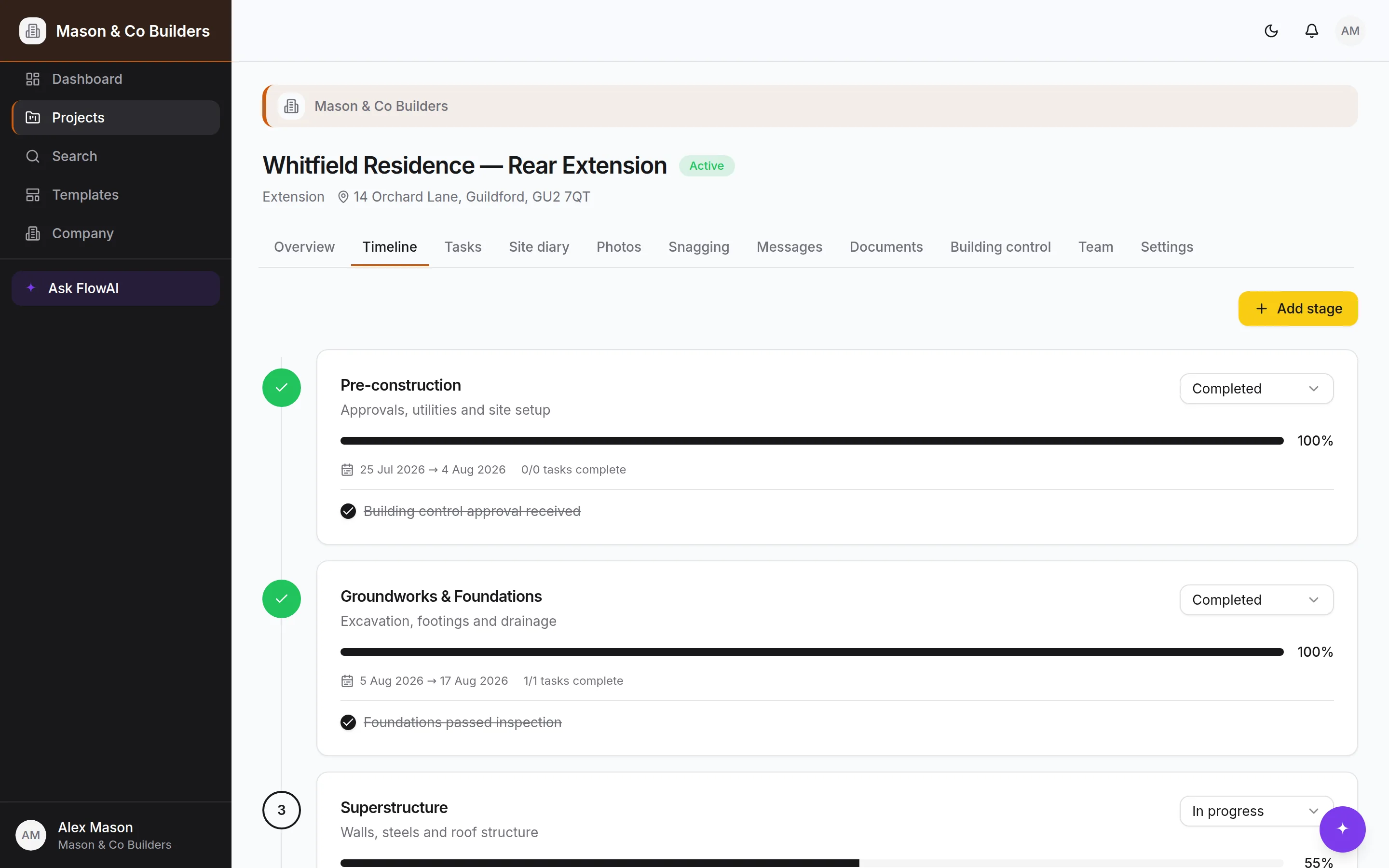
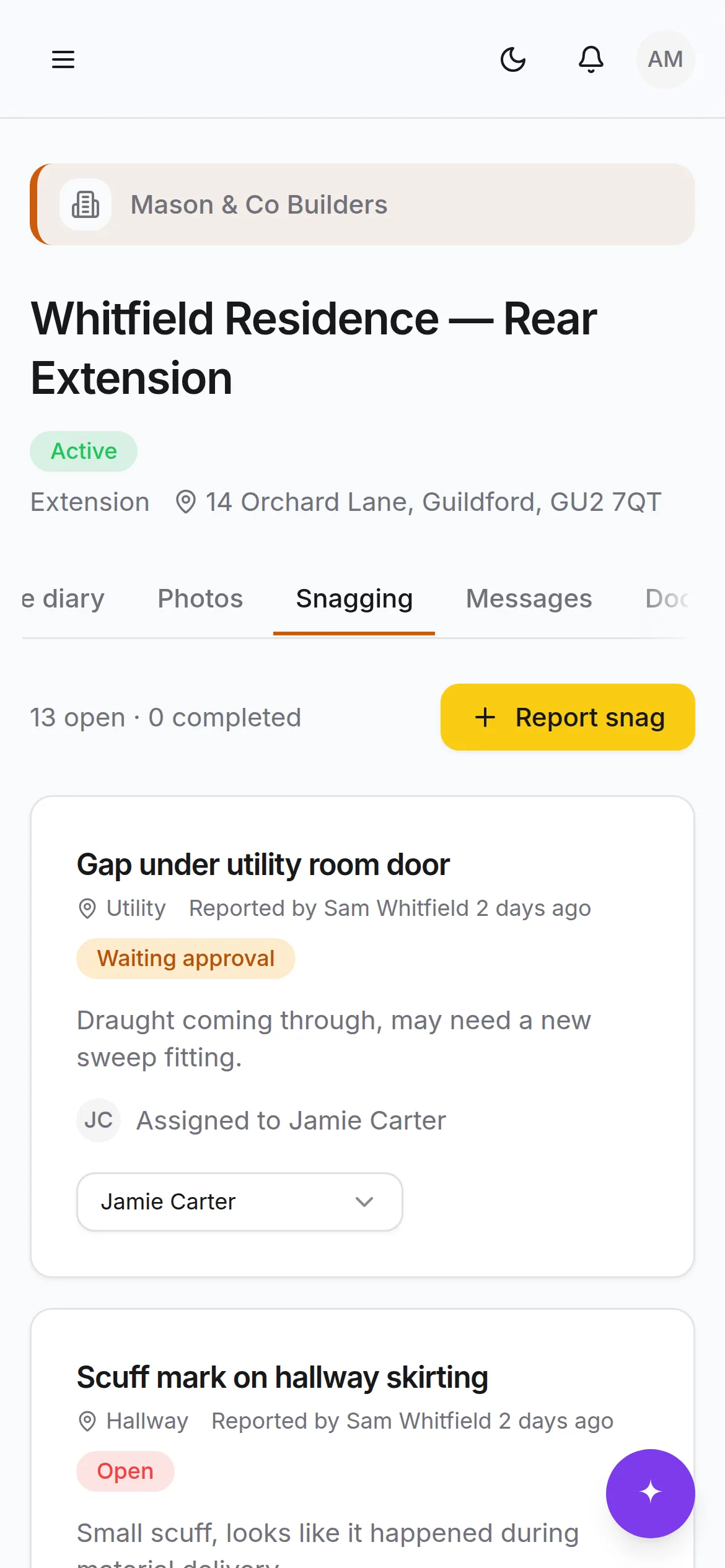
Programme, photos, diary, snags and one thread per job. All of it one-handed on a phone, with an offline page for when the signal goes.
Get paid
Invoices raised from what the job already says is owed, numbered properly, frozen once issued, with the VAT worked out per line. Plus the export your accountant actually wants.
The paperwork that bites
Construction phase plan, RAMS, CIS deductions and returns, retention and the defects period. The parts that are quiet until they're expensive.
An assistant that has read the whole job
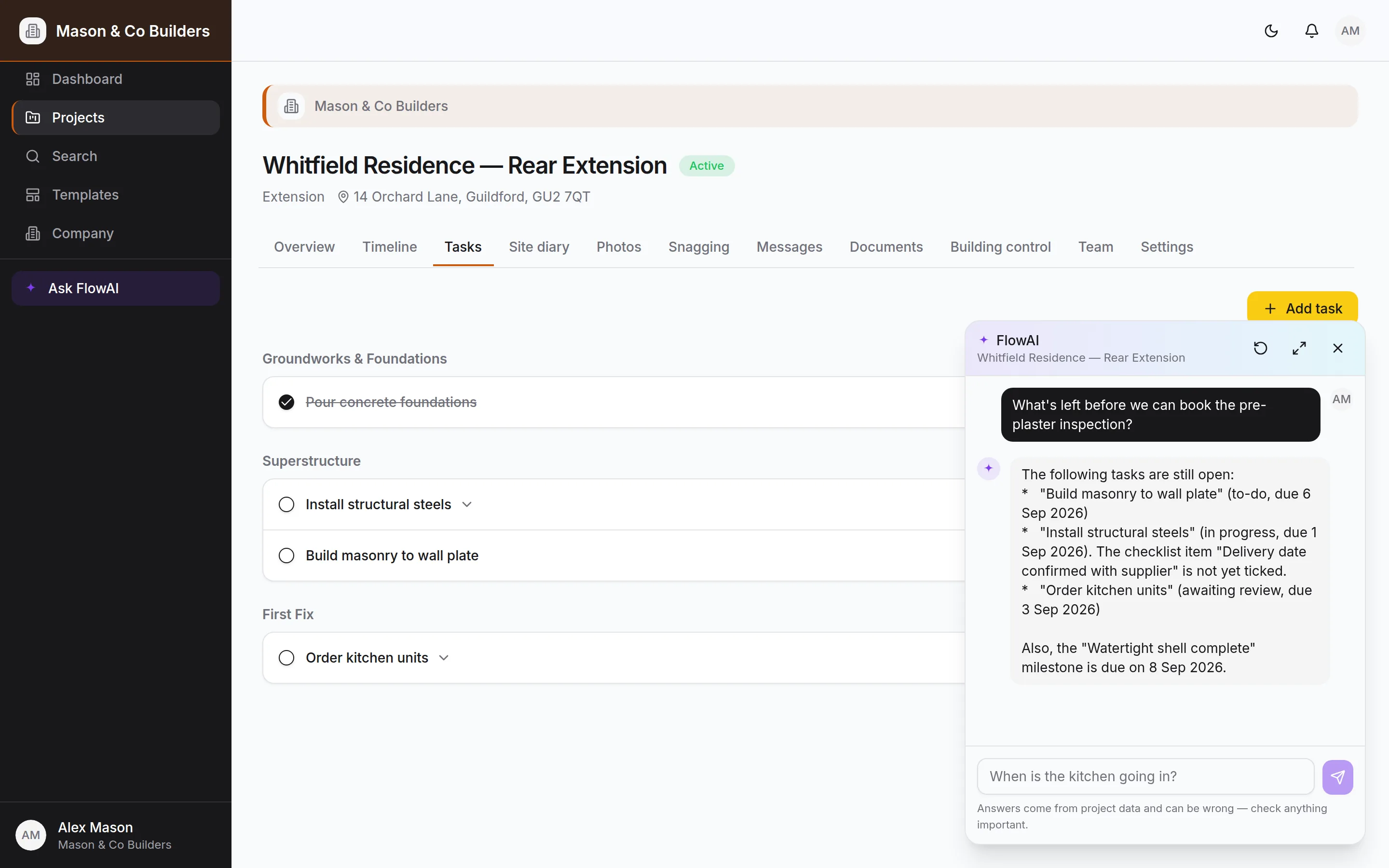
Pinned in the corner of every screen. Ask it what's late, who hasn't been rung back, what a job has cost against what you quoted, or when your CIS return is due — and it answers from your own records, not from the internet.
- Reads the programme, the enquiries, the quotes, the costs and the diary
- Makes changes on your say-so — and shows you the record first
- Won't price a job, set a margin or decide a VAT rate. Those are yours
- Runs to a monthly budget you set, so it can never surprise you
The paperwork that is quiet until it is expensive
CDM applies to every job, however small. CIS deductions come off the labour and not the invoice. A late monthly return is £100 the day after the 19th. BuildFlow keeps the record and counts the days.
Safety on every plan
Construction phase plan, RAMS, toolbox talks and sign-offs — free tier included, because CDM duties do not scale with a subscription.
CIS done right
The deduction off the labour only, tax months that run 6th to 5th, and every subcontractor's statement as one PDF.
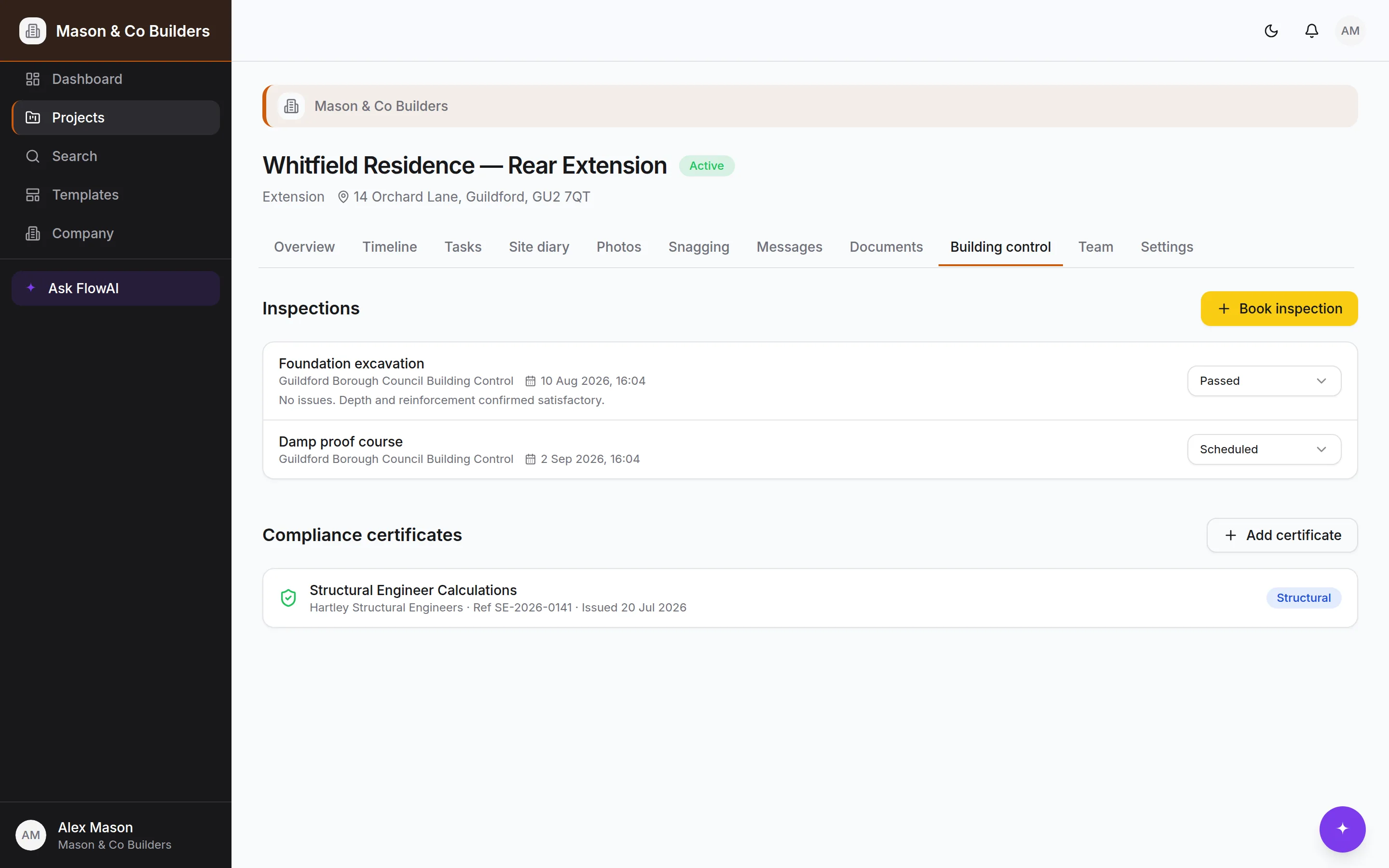
Set up on Monday. Running by Tuesday.
Most builders have their first job on in under half an hour.
Log the enquiry, price the job
Take the call, book the visit, build the price up from your costs. Send a proper quotation that says whether it's a fixed price — and how long it holds for.
Run it from site
Accepting the quote starts the job with the contract and scope already set. Photos, diary entries and snags go in from a phone in the yard, and everyone sees the same programme.
Hand over and close it out
Sign off practical completion and the defects period starts, the retention falls due and the handover pack is a click. Defects the client reports come straight back to you.
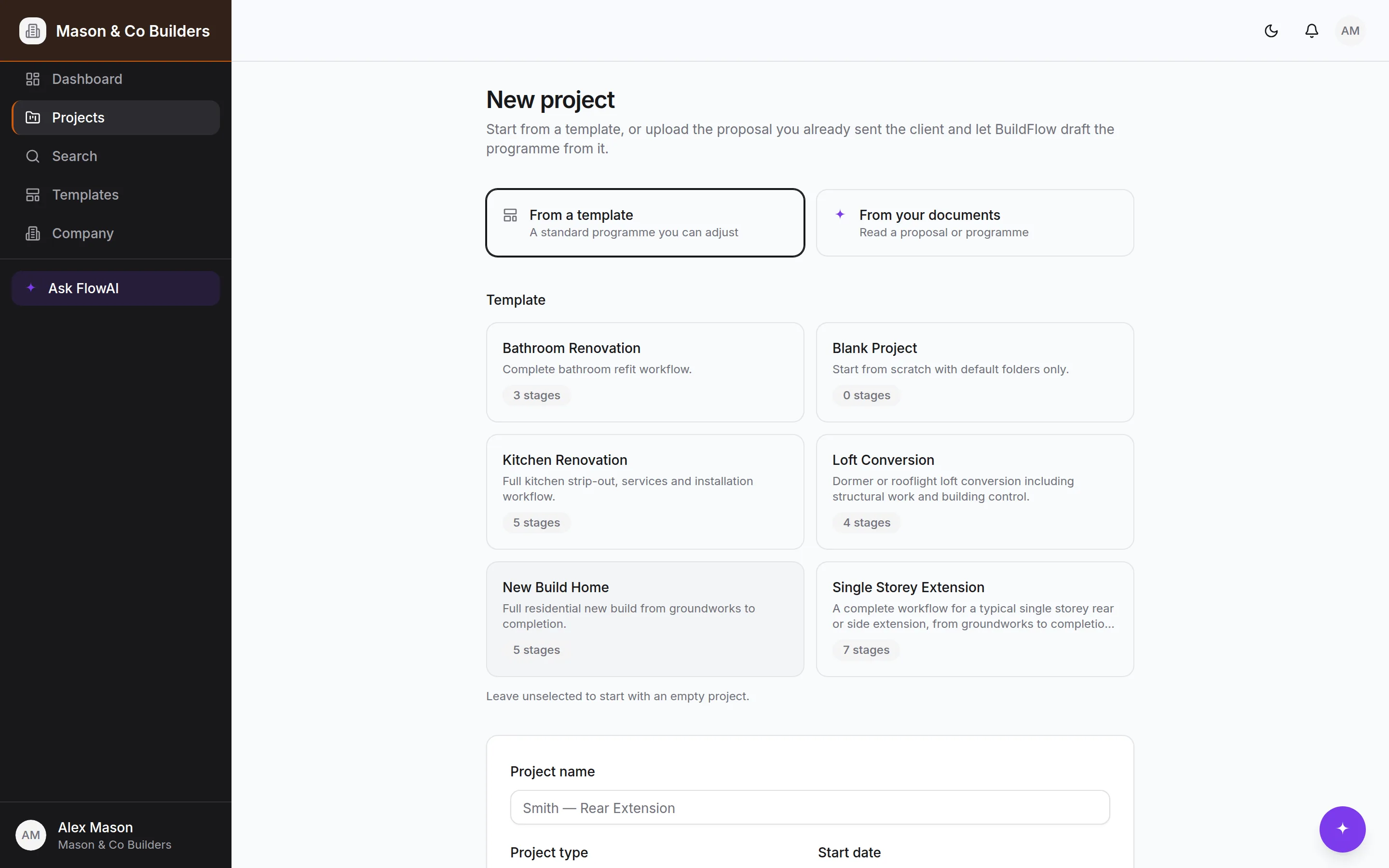
Step two, as it actually looks.
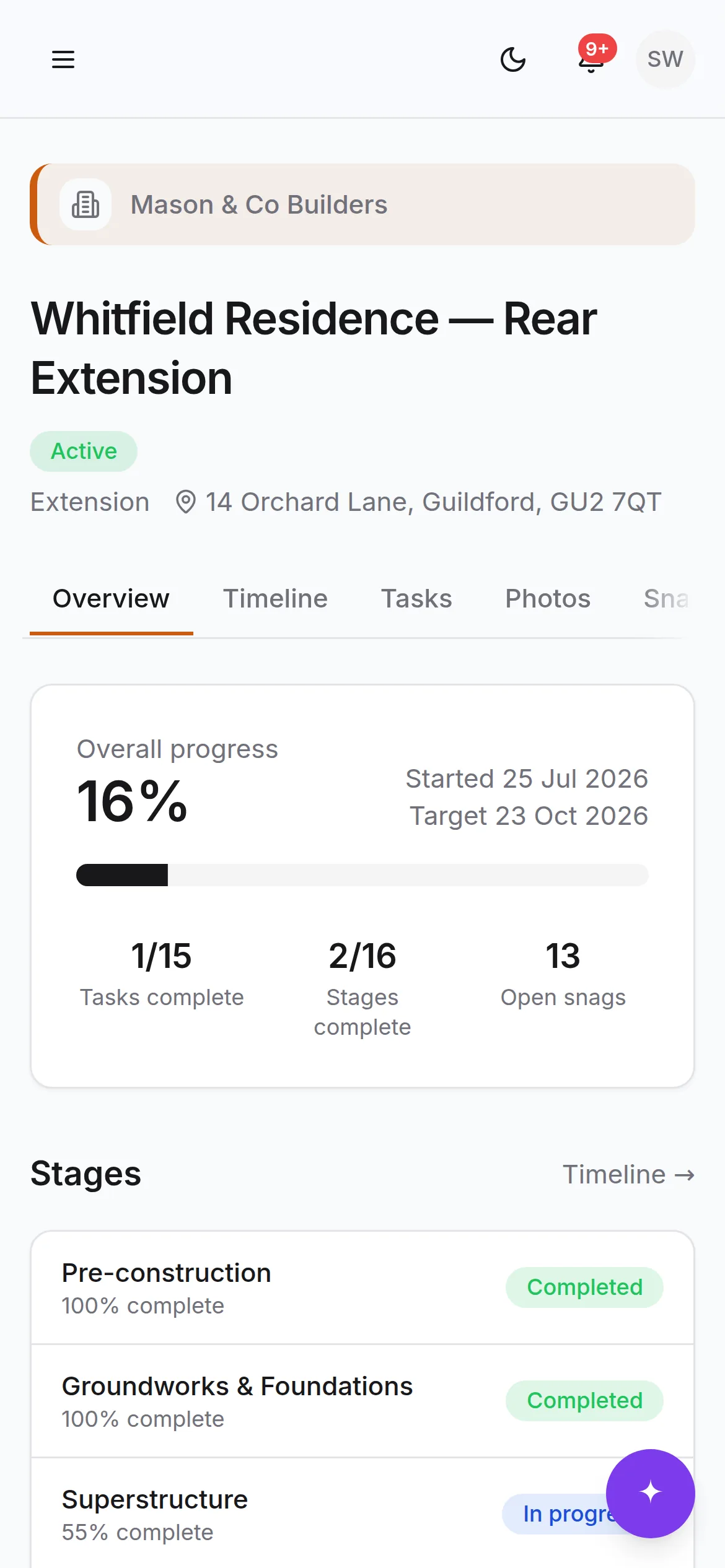
The “any update?” text, answered before it's sent
Clients get their own view of their own job: progress, photos, the payment schedule, decisions waiting on them, and — after you finish — somewhere to report anything that isn't right. They never see your costs, your margin, what you pay a subcontractor or your site diary.
What clients seeEveryone on the job, seeing what they should
Site managers, employees and subcontractors each get the access their role needs. A subcontractor can see the programme and the safety record but not what you charge, what you pay anybody else, or what the job is making. That line is drawn in the database, not hidden in the interface.
Roles that mean something
Owner, admin, employee, subcontractor and client — enforced by row level security on every table.
Built for a phone
Every screen works one-handed on site, with an offline page for when the signal goes.