The whole job, enquiry to aftercare
Most tools take one slice: the programme, or the quote, or the invoice. BuildFlow runs the lot off one set of figures — which is the only way the figures agree. Here it is, with screens from the real product.
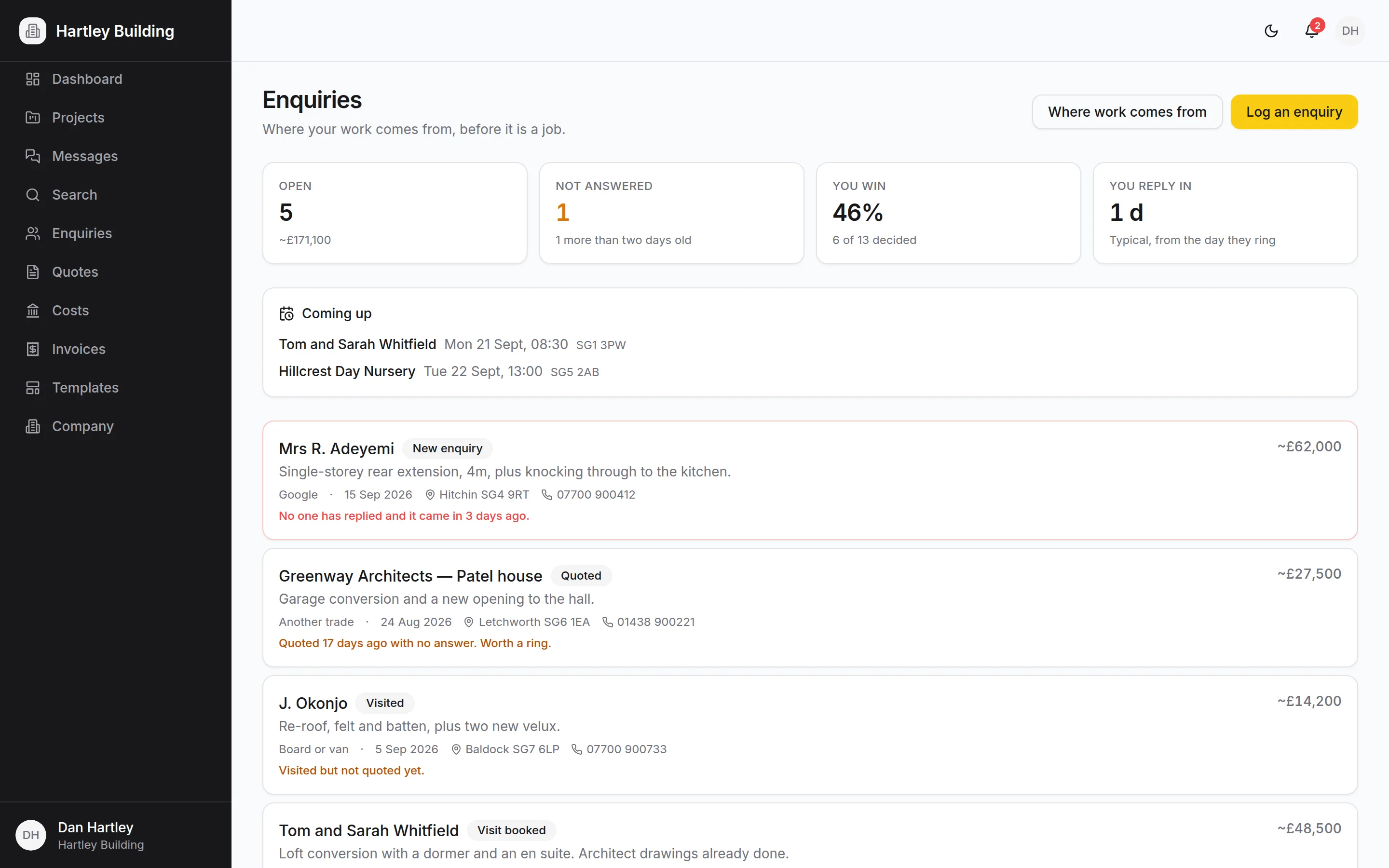
The phone call, logged before you put it down
Name, what they want, where they heard about you. BuildFlow sorts the list by what needs doing rather than by stage, so the enquiry nobody has rung back sits at the top in red — whatever it is worth. Book the site visit, take photos and notes while you are stood in the garden, and turn the whole thing into a project without retyping a word of it.
- Sorted by who hasn’t been rung back, not by pipeline stage
- Site visits with notes and photos, written on a phone
- A year in, a report telling you which sources actually pay
Price it from what the work costs you
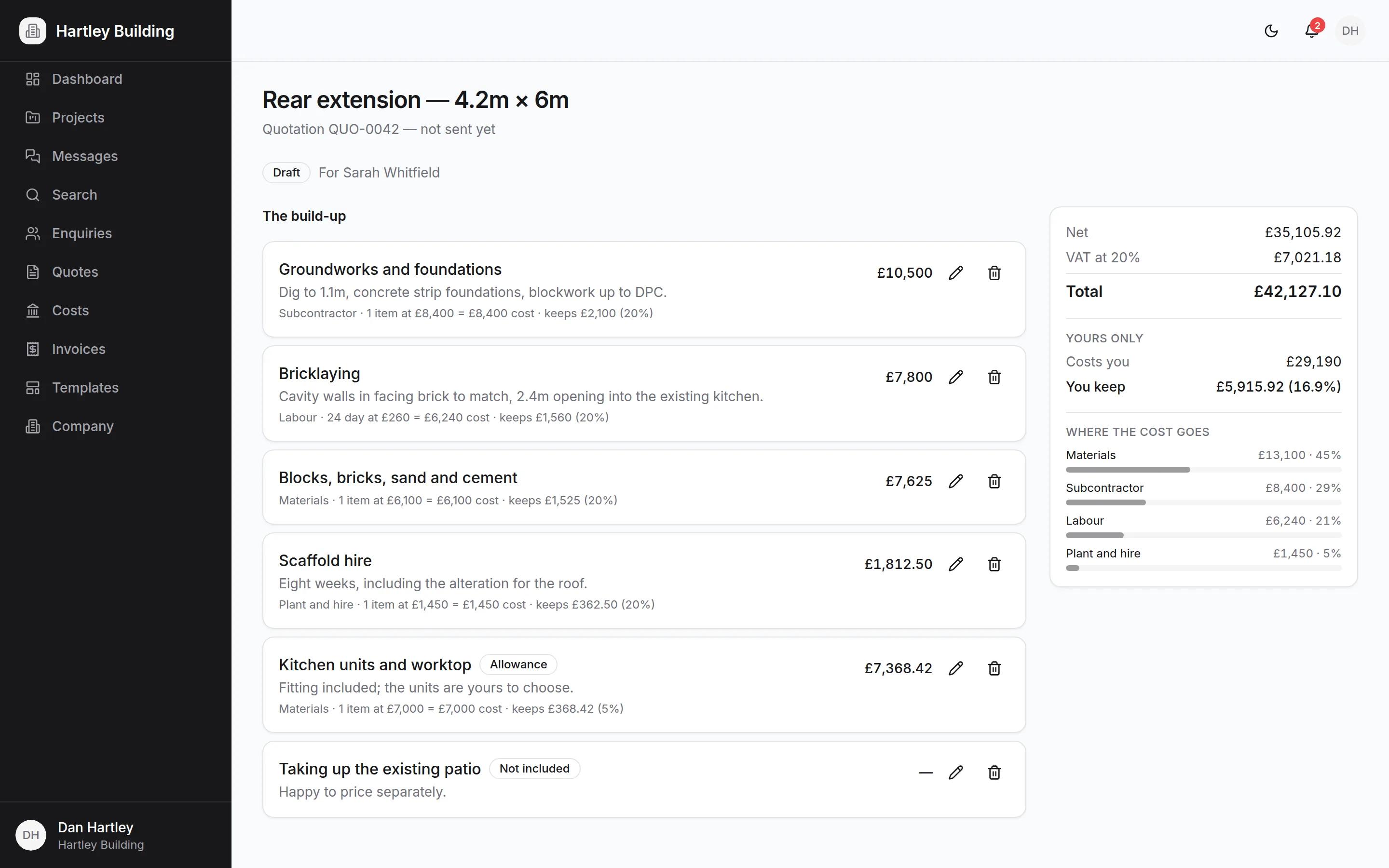
Build the price up line by line — labour, materials, subcontractors, plant — and set the margin you want. BuildFlow works out the charge, shows the markup beside the margin so the two never get confused, and totals the VAT. Send it as a proper quotation that says whether the price is fixed and how long it holds for.
- Margin and markup shown together: 20% margin means adding 25%
- A PDF quotation with your terms, validity and exclusions on it
- Revise it, send it again, and the old version stays on the record
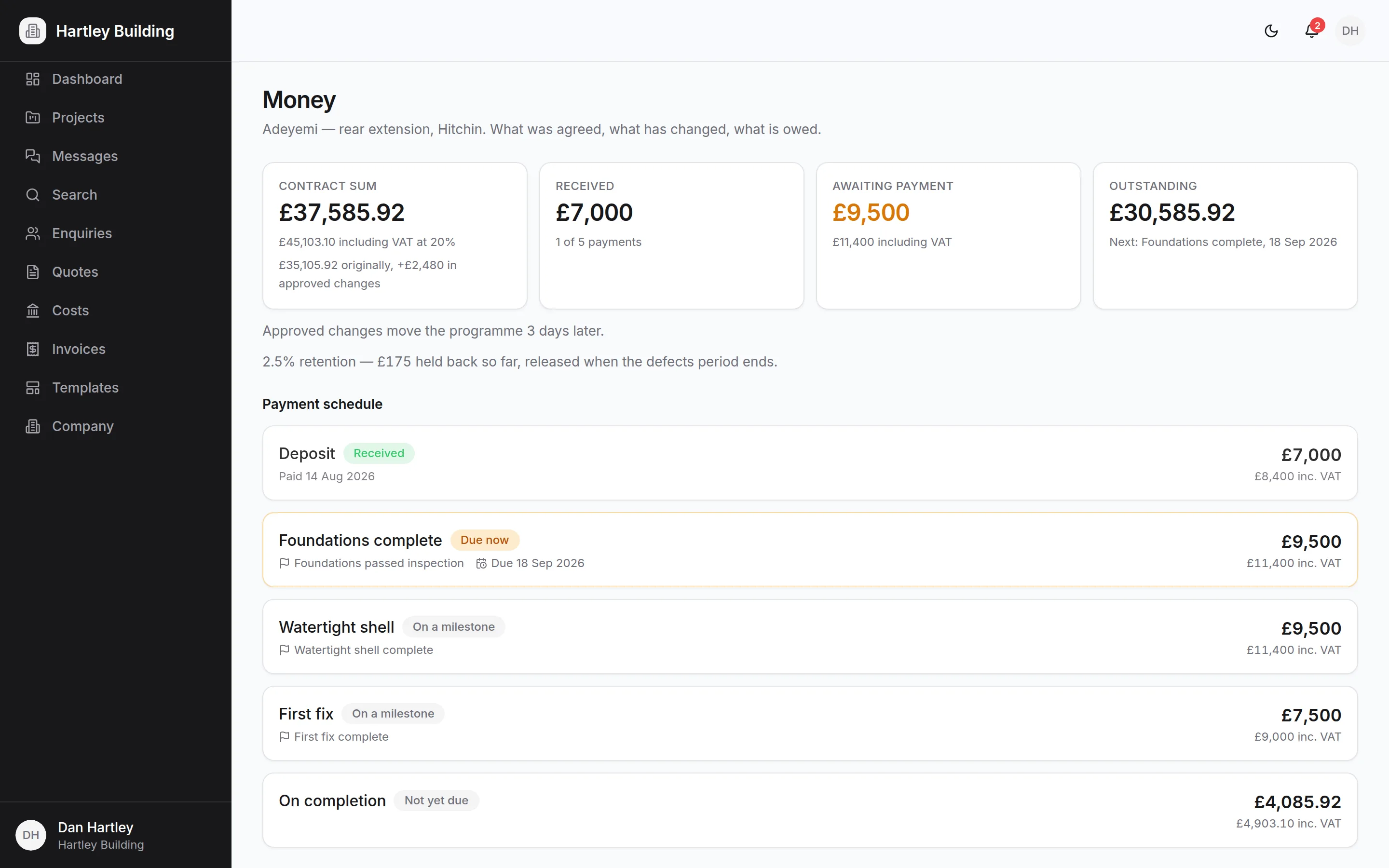
“Yes” becomes a contract sum, not a memory
Accepting a quote writes the job: the contract sum, the VAT rate and the full scope of works, including what is excluded. Set the payment schedule against milestones so a stage falls due when the work is done rather than when somebody remembers. Every change is priced and answered against that sum, so the current total is never in doubt on either side.
- Scope of works and exclusions carried over from the quote
- Payments tied to milestones, with retention held back properly
- Variations the client approves or declines, with a date on it
A timeline that survives contact with the job
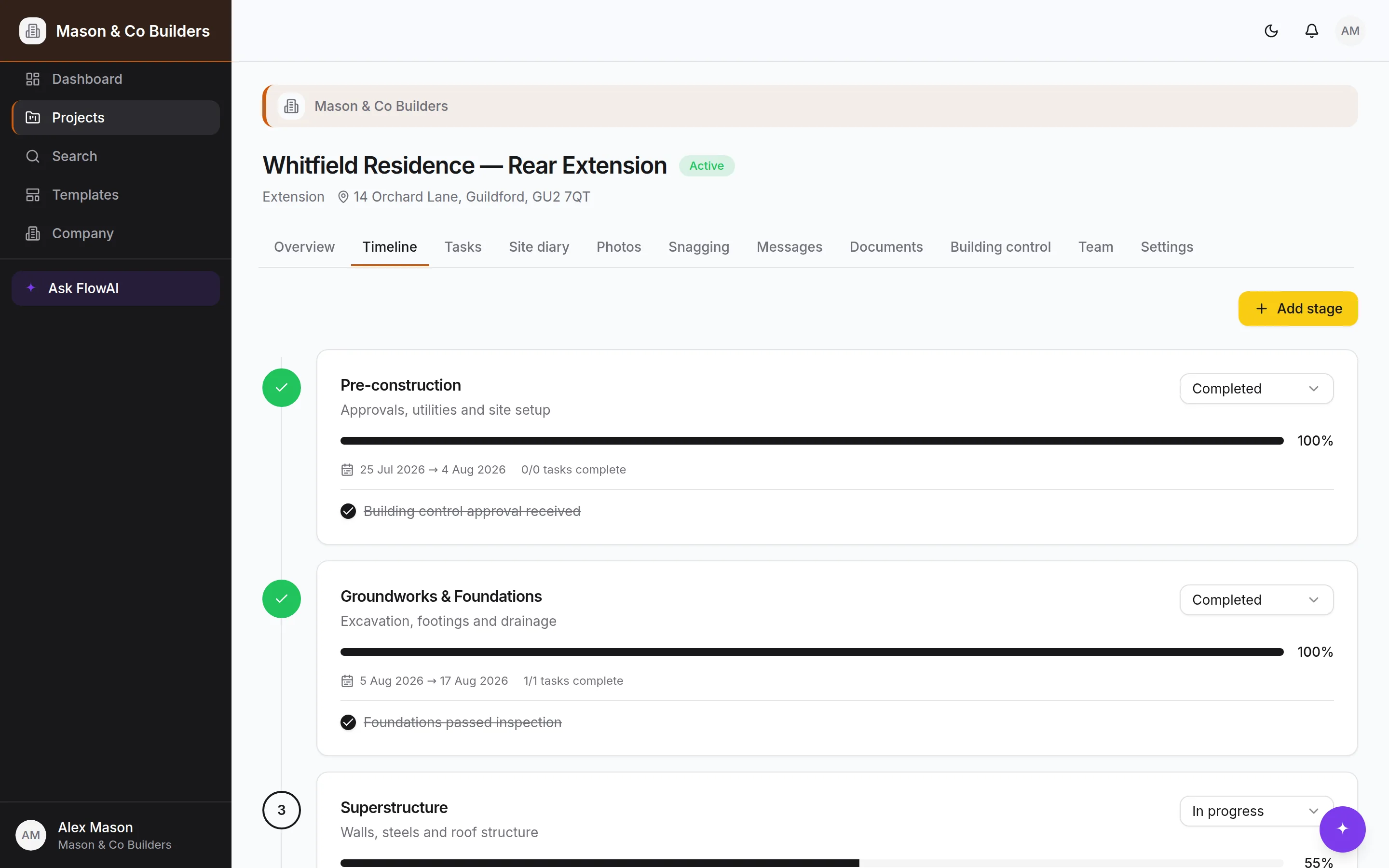
Pick a template — extension, kitchen, loft conversion, new build — and BuildFlow generates the stages, tasks, checklists, milestones and the building-control inspection schedule in one go. From there it’s yours: reorder stages, move dates, add what the drawings turned up. Save any project back as a company template so the next one starts from what you actually did.
- Ordered stages with status, completion and real dates
- Tasks with an assignee, a due date and a checklist inside
- Company templates built from a job that went well
The record of the day, written on the day
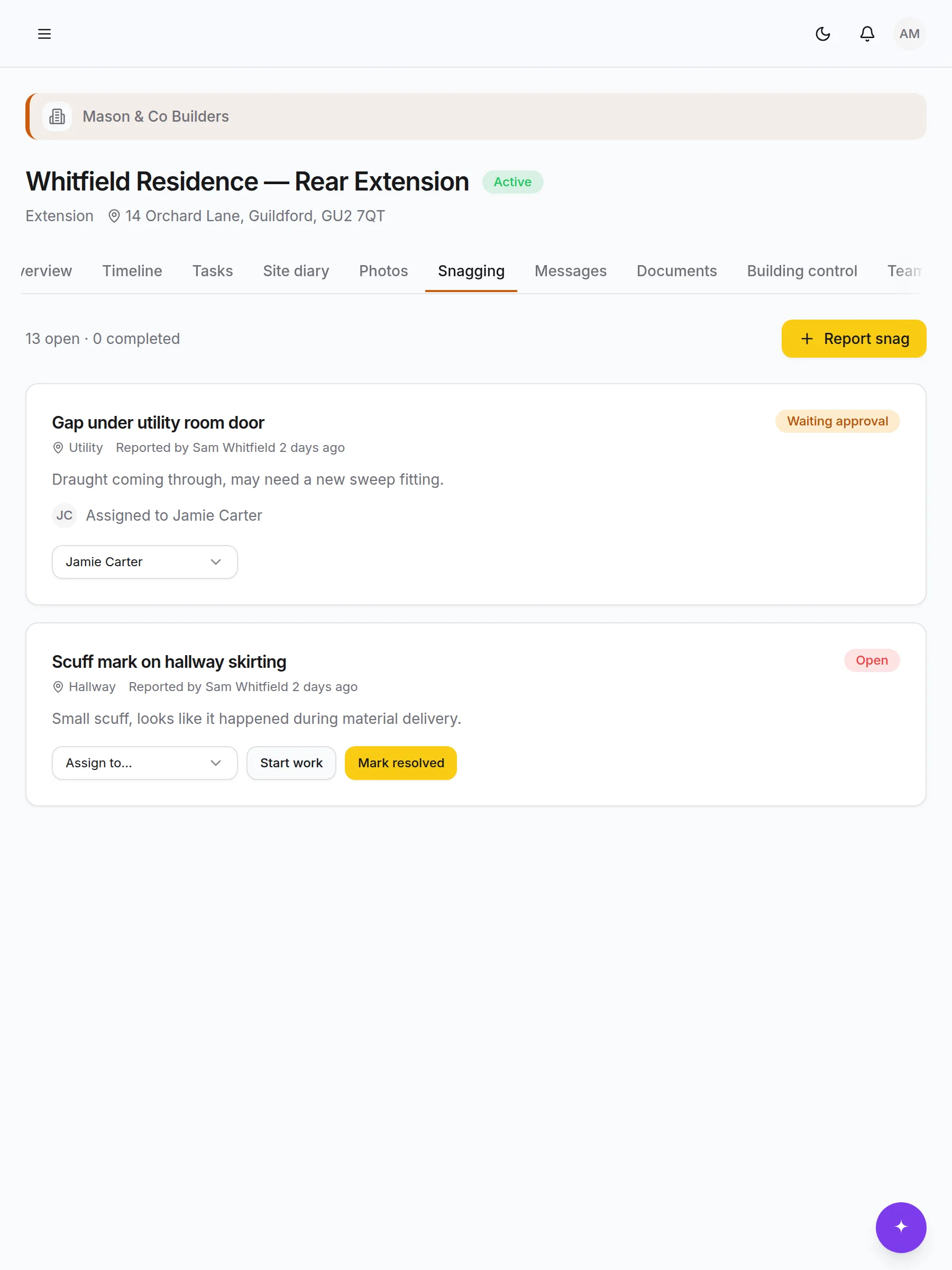
Weather, who was on site and for how long, what got done, what went wrong, what was delivered, who visited. Diary entries are permanent once written — that’s what makes them worth something when a question comes up eight months later. Photos go in tagged by room, trade and stage. Clients never see the diary.
- Weather, hours, deliveries and visitors in one entry
- Permanent by design, so the record can be relied on
- Writes queue when the signal goes and send themselves later
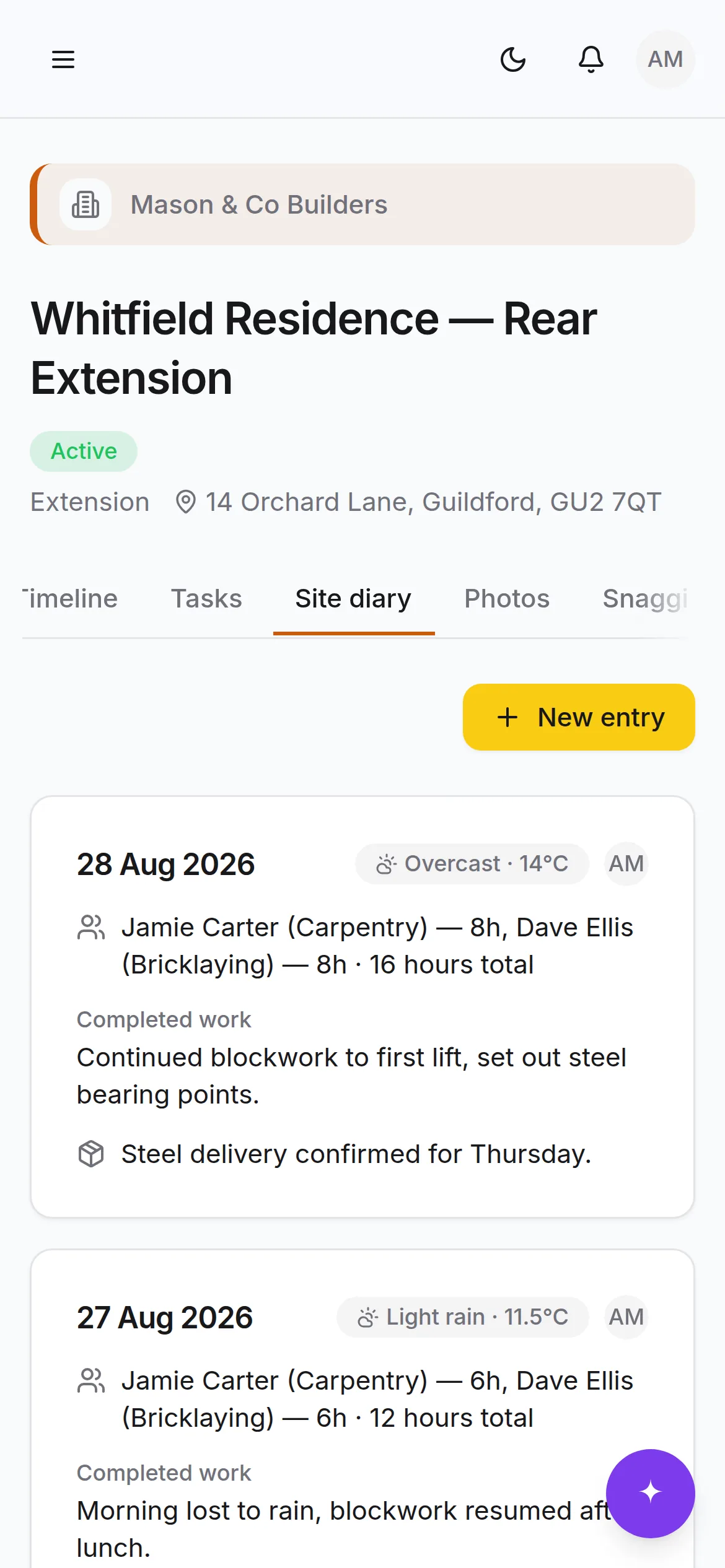
What the job took, against what you priced it at
Record purchases and subcontractor payments as they happen and BuildFlow puts them next to the build-up the quote was made from. CIS is deducted off labour only, at the rate the subcontractor is verified at, and the monthly return and deduction statements come out of the same figures. The one number nobody usually has — what the job actually made — is on the screen while you can still do something about it.
- Quoted against spent, by labour, materials, subbies and plant
- CIS deducted off labour only, never off materials
- The return, the statements and the deadline, all from the payments
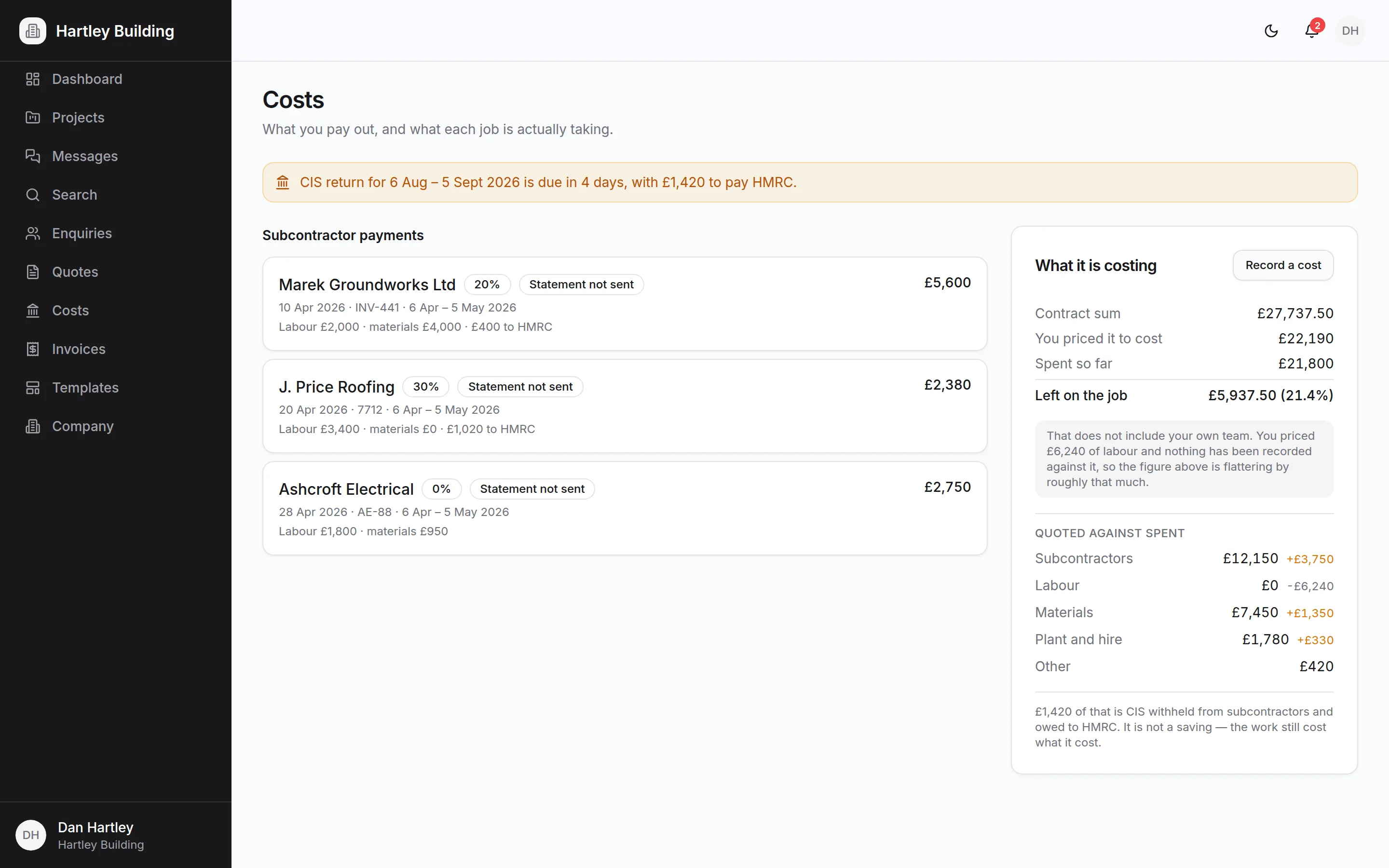
Inspections, certificates and the safety file
Building-control inspections move through scheduled, passed, failed and reinspection against the stage they belong to. Certificates — electrical, Gas Safe, fire, structural, water, energy, completion — sit alongside them with the issuer, the reference and the date. Behind them sit the construction phase plan, the RAMS and the toolbox talks, signed by the people who were actually there.
- The inspection schedule generated with the programme
- A construction phase plan you can hand over, not write from scratch
- RAMS and toolbox talks with a named signature against each one
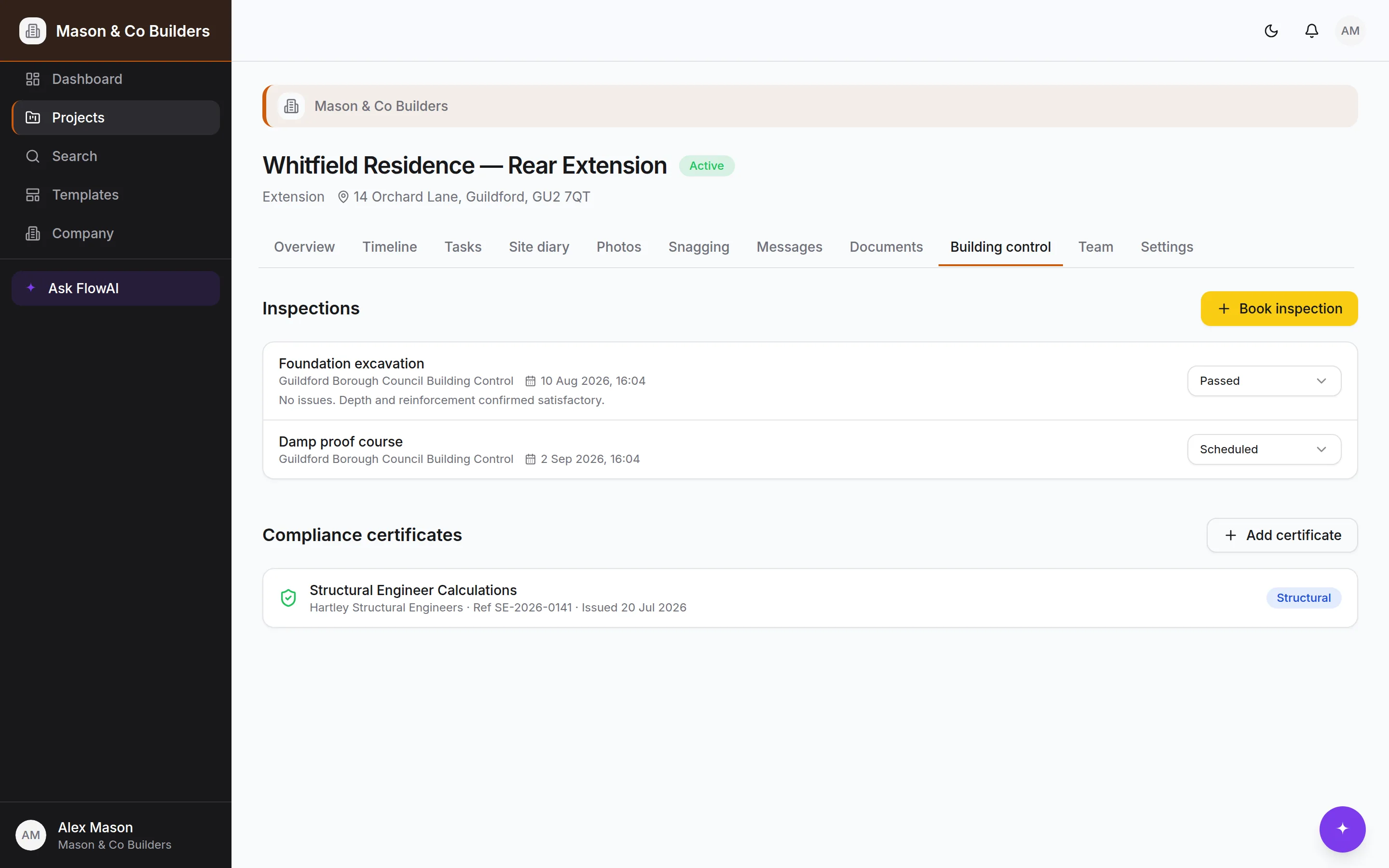
Snagging, handover and the twelve months after
The client raises a snag with a photo and a room, you assign it, your team resolves it, the client confirms — each one a timestamped, attributable step. Practical completion starts the defects period and makes the retention due on a date rather than a conversation. Anything the client reports afterwards comes into the same register, so year two starts from a record instead of an argument.
- Raised by clients, assigned by you, confirmed by them
- Practical completion, the defects period and retention release
- A handover pack in one click: certificates, snags, specs, photos
The parts that are quiet until they’re expensive
None of this is why anybody signs up. All of it is what a bad month looks like when it isn’t written down anywhere.
Invoices from what’s already owed
Raise one from the stages and changes the job says are due. Numbered in sequence, VAT worked out per line, and frozen the moment it’s issued — corrections are credit notes, the way they should be.
Variations, priced and answered
Every change quoted with its cost and its effect on the programme, sent to the client, and either approved or declined with a date against it. Nothing enters the contract sum until they answer.
Choices with a deadline
Tiles, taps, worktops — each with the options, the price difference and the date you need an answer by. Late decisions get chased before they hold the job up.
CIS, month by month
Subcontractor verification, deductions at 0, 20 or 30%, the monthly return and a deduction statement for every subcontractor, with the 19th and the 22nd on the screen before they arrive.
CDM and the construction phase plan
On a domestic job the client’s duties land on you. The plan is built from the work you’re doing, and BuildFlow tells you when a job is over the F10 threshold.
Incidents and RIDDOR
Near misses, injuries and dangerous occurrences logged with what happened and what changed. Anything that looks reportable is flagged with the deadline attached.
Defects and warranties
The defects period, the register the client writes into, and the manufacturer warranties with their expiry dates — all still there when somebody rings in month eleven.
The export your accountant wants
Invoices, payments and costs as a CSV, with the VAT and the CIS in their own columns. BuildFlow never touches client money and never files anything on your behalf.
More detail on how the money joins up and on what BuildFlow does and doesn’t decide for you.
The parts that only matter when they’re missing
Everything else a job leans on, built in rather than bolted on.
Progress photos
Tagged by room, trade and stage as they’re taken, in private storage with signed links. Before, during and completed sit side by side.
One thread per job
Questions, decisions, issues and variations in the project thread rather than three WhatsApp groups. Pinned where it matters, searchable throughout.
Documents with version history
Contracts, drawings and certificates in a proper library. Upload a new version and every prior one stays browsable and downloadable.
Per-document client visibility
Decide document by document what the client can see, and ask them to approve the ones that need approving.
Digital handover pack
One click produces the timeline, milestones, certificates, final snag list, the paint-and-materials spec book and the completed photos.
Roles that hold at the database
Owner, admin, employee, subcontractor and client. A subcontractor sees the job they’re on and nothing else; a client sees less again. It’s a rule, not a hidden menu.
QR joining
Secure invite links rendered as a QR code, for clients and for team members. Scan, sign up, land in the right place.
Your branding
Your logo and colour on the sidebar, the project workspace and every invite and join screen your clients see.
Role-aware dashboards
Builders get money, deadlines and approvals across every job. Clients get their job: progress, photos, decisions waiting on them.
Global search
Projects, tasks, messages, documents and people in one box — and scoped to what you’re allowed to see, at the database.
Notifications
An in-app centre with an unread badge for approvals, mentions, assignments and anything waiting on you.
Immutable audit trail
Database triggers record who changed what, when, with the old and new values. The log can’t be edited, including by us.
Works with no signal
The shell is cached and writes queue locally, replaying when the signal comes back. Sites aren’t known for their bars.
Wondering whether it does the one thing you need?
Ask us. It's a short list of things BuildFlow deliberately doesn't do — it won't file your return, take your client's money or decide your prices — and we'd rather tell you now.