A job your client can actually follow
Homeowners aren't difficult. They're in the dark. Give them their own view of their own job — progress, photos, the price they agreed and the decisions waiting on them — and most of the friction goes with it.
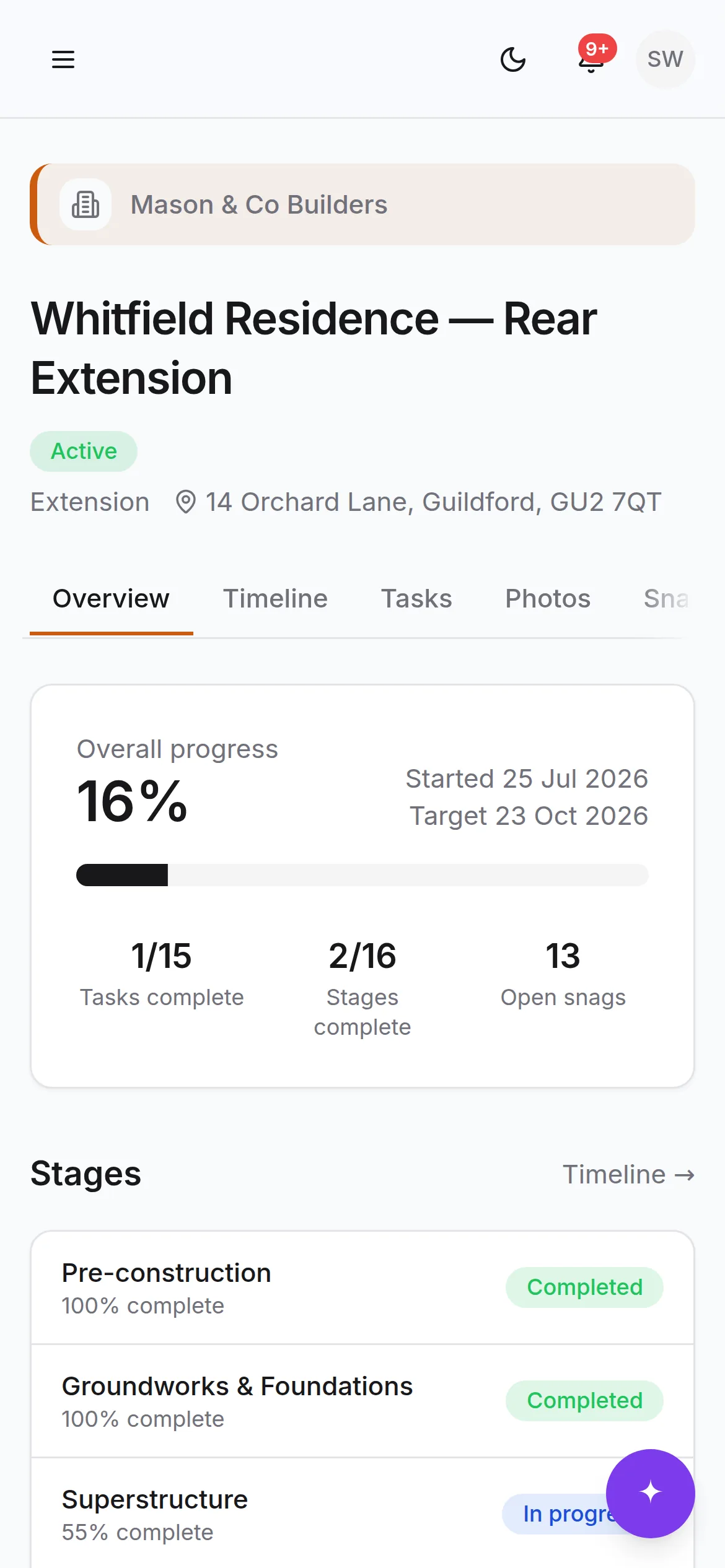
Enough to stop them worrying
Everything below is theirs by default. You decide document by document and milestone by milestone what else to share.
Where the job is
The stages, what's done, what's running and the milestones you've chosen to share — with real dates rather than a percentage nobody believes.
Photos of their own house
The progress record as it's taken, filed by room and stage. The single most effective thing there is for stopping the Saturday phone call.
The documents that concern them
Contracts, drawings and certificates you've marked visible — with an approval step where you need one, recorded against a name and a time.
One place to ask
Questions, decisions and variations in the project thread, so an answer given in February is still findable in August.
Snags they raised, and how they went
They report it with a photo, watch it get assigned and resolved, then confirm it themselves. No chasing, no lists in an email.
What's waiting on them
The decisions and approvals holding work up, on their dashboard, so 'we're waiting on you' is a screen rather than an argument.
The price, and where they are against it
The agreed sum including VAT, what they've paid, what's due next and on what date. The same figures you're looking at, which is the entire point of showing them at all.
Changes, priced before they happen
Every variation with what it costs and what it does to the programme, for them to approve or decline. Nothing joins the contract sum until they answer.
Somewhere to report a defect
After handover the defects period runs on, and anything they find goes into the same register rather than a text message at half nine on a Sunday.
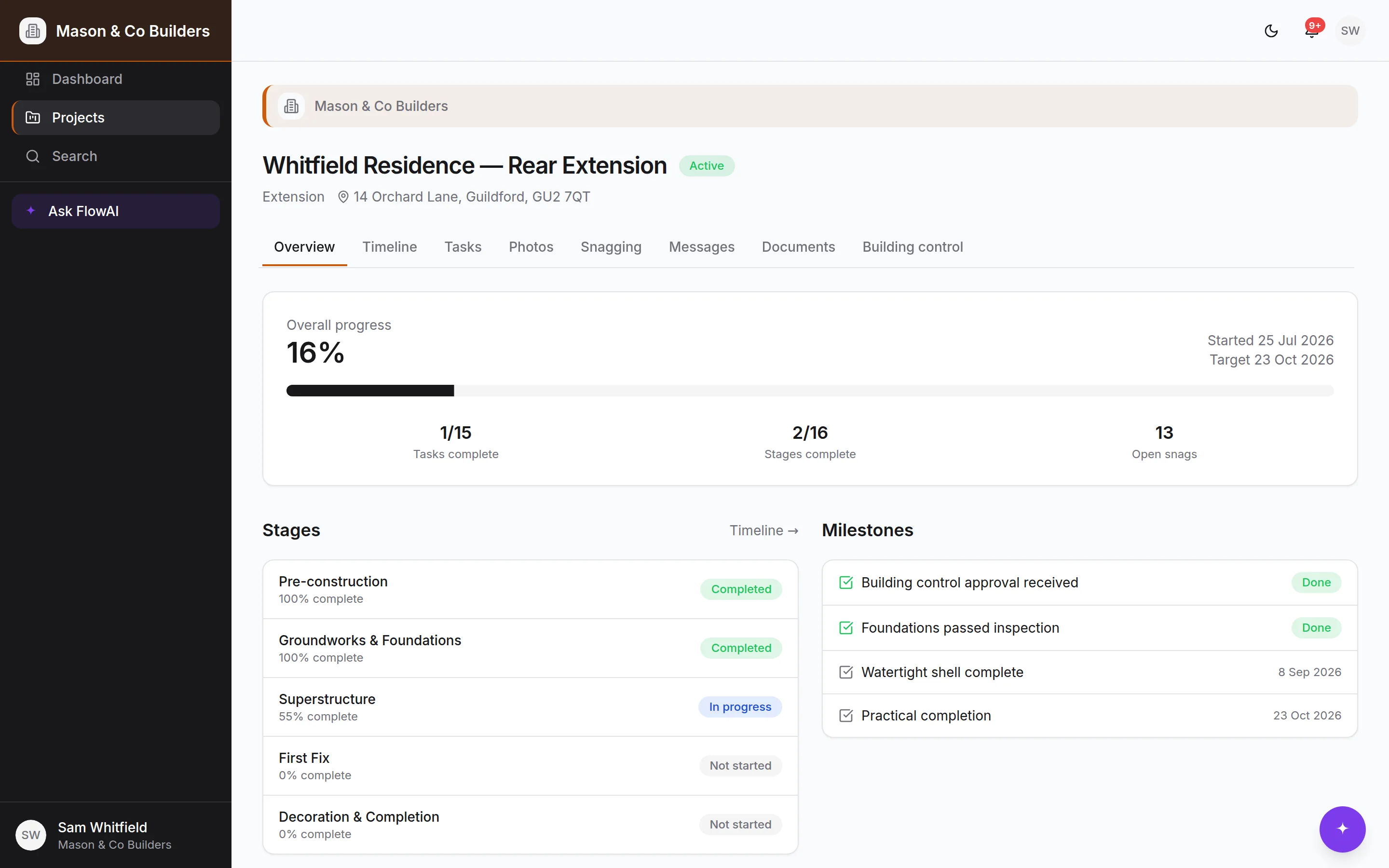
Openness with your client isn't openness with your books
Client access is a separate role, enforced by the database rather than by hiding buttons. If a client goes looking for something they're not entitled to — in the interface or otherwise — the answer is no at the database, not in the page.
- What the job costs you, and what you're making on it
- The site diary — hours, workers, issues and deliveries
- Internal notes and messages between your team
- Documents you haven't marked visible
- Other clients, other projects, anything outside their job
Scan, sign up, done
No account admin, no shared logins, no chasing an email invitation into a spam folder.
Show them the code
Every project issues a secure invite link, rendered as a QR code you can print for the site board or send in a text.
They make an account
Name, email, password. The link is what ties them to the project, so there's nothing for them to get wrong.
They land in their job
Straight into their own project, branded with your logo and colour, with nothing else on the account visible.