Snagging and handover
The snag lifecycle from client report to confirmation, and what goes into the digital handover pack.
Updated 2 September 2026
The end of a job is where goodwill is won or lost. Snagging in BuildFlow is built to turn a snag list from an argument into a record: every step has a name and a timestamp on it, on both sides.
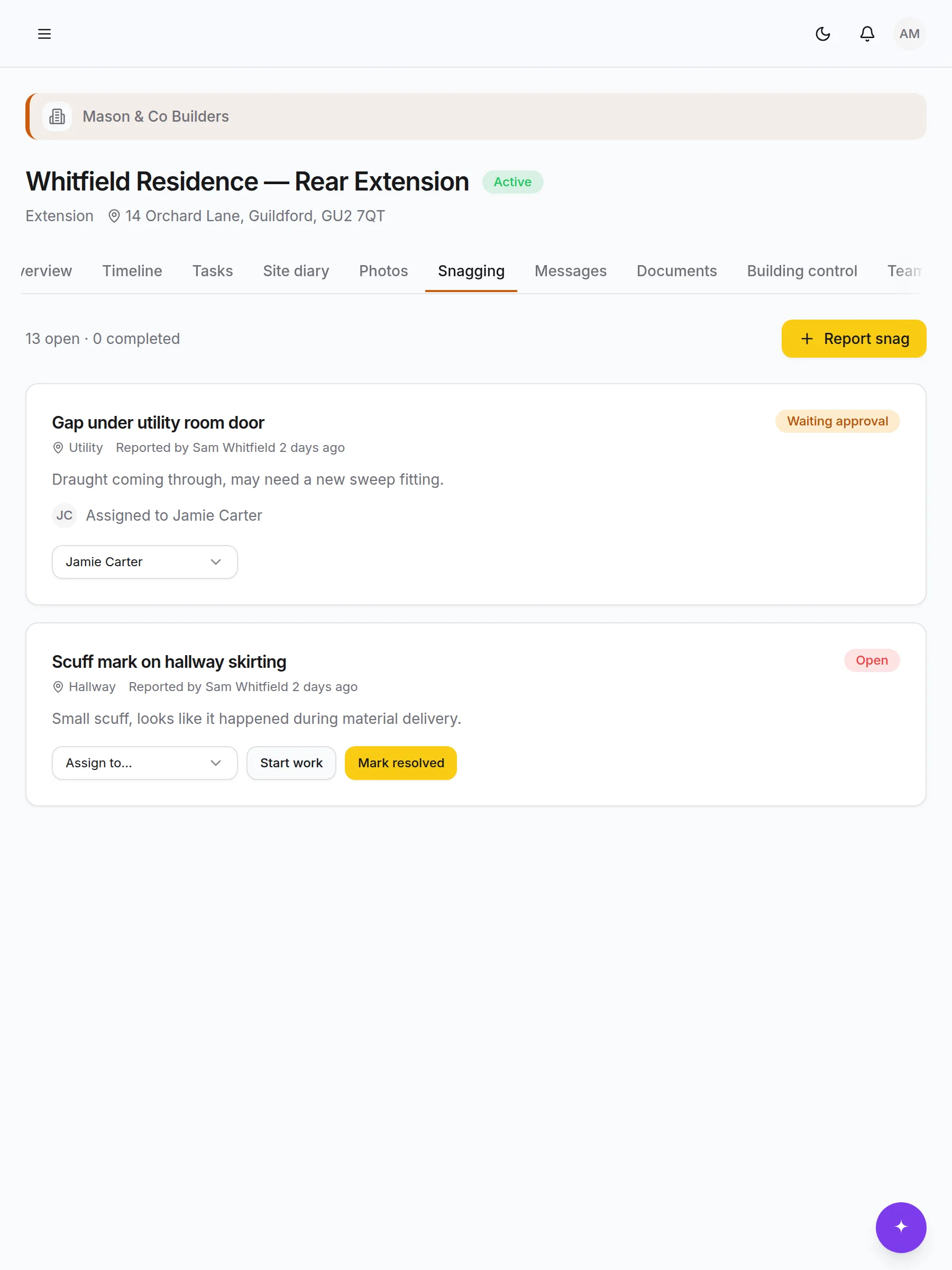
The snag lifecycle
| Status | Means | Who moves it |
|---|---|---|
| Open | Reported, nobody on it yet | Client or your team |
| Assigned | Somebody has it | You |
| In progress | Being put right | The person assigned |
| Resolved | Done, awaiting the client's look | The person assigned |
| Waiting approval | With the client to confirm | Automatic on resolve |
| Completed | Client has confirmed it | The client |
The last row is the one that matters. A snag is not finished because you say it is — it is finished because the person who raised it says so, and the record shows that.
Getting good snags out of a client
A useful snag has a room, a photo and one problem in it. Ask the client to raise them in the app rather than sending a list, and you get all three by default.
- One snag per item. "Upstairs paintwork" becomes five arguments; five snags become five ticks.
- A photo every time. It settles what was meant without a site visit.
- The room, always. It is how you batch the work for whoever is putting it right.
Do a walk-round before they do
Raise your own snags first, from your phone, before inviting the client to look. A list they add to reads very differently from a list they start.
Working through the list
Assign snags to the person who will fix them, not the trade. Filter by room when somebody is on site anyway — three snags in the same bathroom is one visit, not three.
When a snag is resolved it goes to the client for confirmation automatically. If they sit on it, a nudge in the project thread is usually enough; the outstanding list is on their dashboard too.
The handover pack
One click produces a PDF covering:
- The timeline as it actually ran, stage by stage
- Milestones and the dates they were hit
- Every compliance certificate — electrical, Gas Safe, fire, structural, water, energy, completion
- Building-control inspections and their results
- The final snag list and its confirmations
- A spec book: paint colours and materials used
- The completed photographs
It assembles itself out of what you have been recording all along, which is the argument for the two-minute daily habit. A job run properly in BuildFlow produces its own handover pack; a job run badly produces a thin one.
Before you generate it
- 1
Close the snags
Anything still open appears as open. Chase the confirmations first.
- 2
Check the certificates
Every one you are obliged to provide, uploaded with its issuer, reference and date.
- 3
Record the inspections
Passed, with the date. A missing result reads as a missing inspection.
- 4
Fill in the spec book
Paint colours, tile references, worktop material. Nobody remembers this in two years and everybody asks.
- 5
Add the completed photos
Tagged as completed so they land in the right section.
After handover
Mark the project completed. On Basic, Pro and Bespoke that frees a slot for the next job — nothing is deleted, and the project stays readable, searchable and downloadable for both of you.
The client keeps their access. Two years on, when the boiler needs servicing and they cannot remember who fitted it, the answer is in a pack with your logo on it.
Ask FlowAI
"Which snags are still open, and who is on them?" — it filters by status rather than guessing from titles, and names the person each one is assigned to.